How to play Minecraft with friends
Same wifi? Open to LAN. Want mods? Essential Mod, free. Want it up while you sleep? A server.
Five ways that actually work, what each really costs, and the catch on every one, ours included. The first four are in roughly the order most people should try them.
In this guide
Which one should you pick?
- Same wifi, right now → Open to LAN. Free, ten seconds.
- Mods, everyone playing at once → Essential Mod. Free, up to 8.
- Up while nobody's playing, and modded → a hosted server.
- Plain vanilla, no mods → Realms. $7.99 a month, run by Mojang.
- Friends on phones or consoles → Java and Bedrock don't mix by default.
At a glance
The friends list is presence only: it shows who's online, not a way in. Details below.
Open your world to LAN
Best for: Everyone in the same house, playing right now.Not for: A friend anywhere else, or a world that should outlive tonight.
Free, and it works for anyone on the same wifi. It's built into Minecraft and most people never find it:
Load your singleplayer world.
Hit Escape and choose "Open to LAN".
Pick whether friends can use commands or change the game mode, then press Start LAN World. Note the port number: it changes every time you open the world.
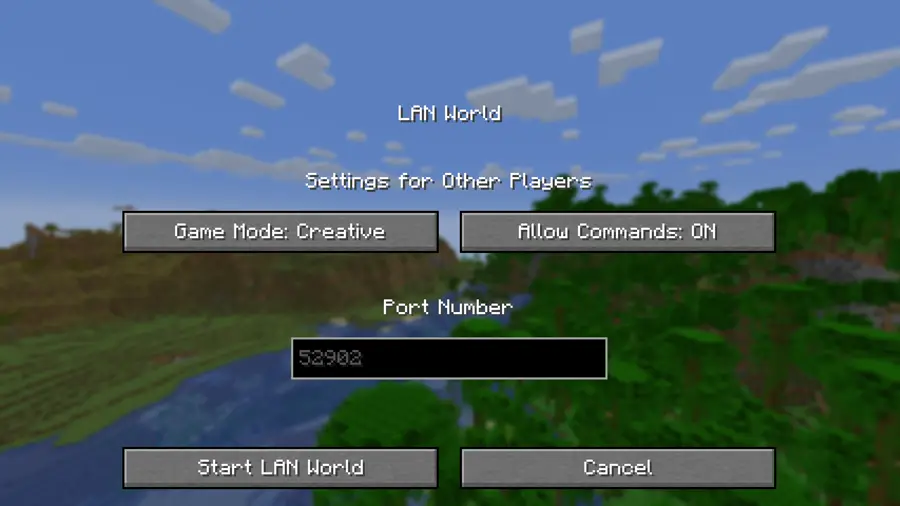
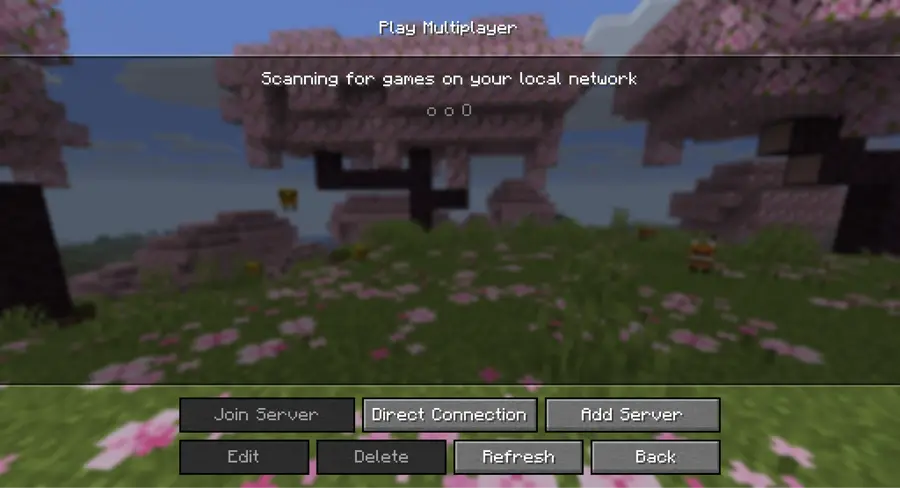
Your friends open Multiplayer on the same wifi. Your world appears in their list on its own, with no address to type.
The catch
Same wifi only: it won't reach a friend across town. The world lives inside your game session, so when you close Minecraft, or your laptop sleeps, everyone is disconnected. The port also changes every time you open it.
Essential Mod
Best for: A modded world with up to 8 friends who play at the same time.Not for: A world that has to be there when the host isn't.
Free, and up to 8 players. Essential is a client-side mod that does what the friends list was going to: you open your singleplayer world to invited friends over the internet, and they join from their own game. No server to rent, no port forwarding, no IP to share.
It also works with mods. If you've all installed the same modpack, Essential will run it: the free answer for a modded world.
Download the installer from essential.gg/download (Windows or Mac) and run it. It can create a new launcher profile or add Essential to one you already have.
Get everyone else to do the same. Every player needs Essential, on the same mods, the same loader, and the same Minecraft version.
Add your friends: open the pause menu, go to Social, pick the Friends tab, press the plus button at the top right, and enter their usernames.
Host the world: from the main menu press "Host World" and pick one, or open the pause menu inside a world and press "Host World" there. You accept the terms of service the first time.
Adjust the settings, press Next, choose which friends to invite, and press Done. Up to 8 players, and you stay online the whole time: your game is the server.
The catch
Everyone needs the same mods, the same loader, and the same Minecraft version. A mismatch is the usual reason someone can't connect. And the host's own game is the server, so when they close Minecraft the session ends and nobody else can play until they're back.
A hosted server
Best for: A modded world that stays alive when nobody's playing.Not for: A group who only ever play together, in one room, on a Friday.
A machine that isn't anyone's gaming PC. That one difference buys the two things no free option can do at the same time: mods work, and the world keeps running when everyone closes the game. Costs vary, and free tiers exist.
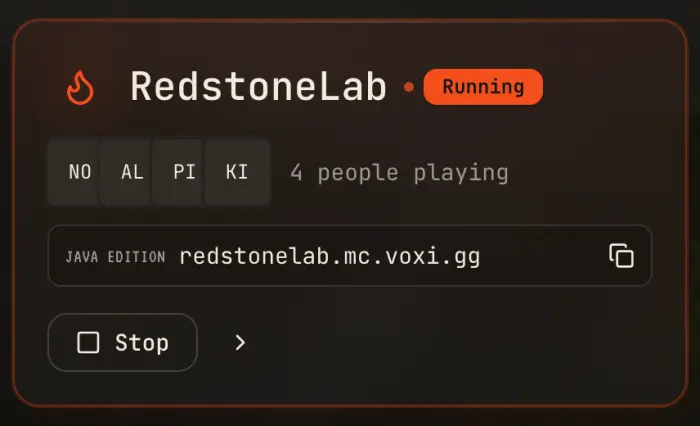
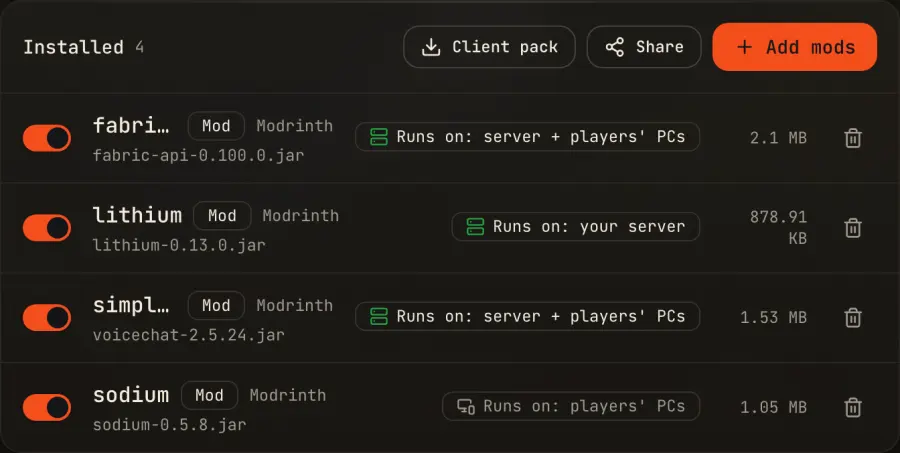
This is what we do. Voxi is free to start with no card, prices are in plain dollars (not credits you convert in your head), and every mod is labeled by where it runs, so a client-only mod reads as "won't do anything here" instead of quietly crashing your boot. Your world naps when everyone's offline and wakes when a friend joins, so you're not paying for empty hours. The wake isn't instant: it takes a moment to boot, like any server.
Pick a Minecraft version, or a modpack straight from CurseForge or Modrinth.
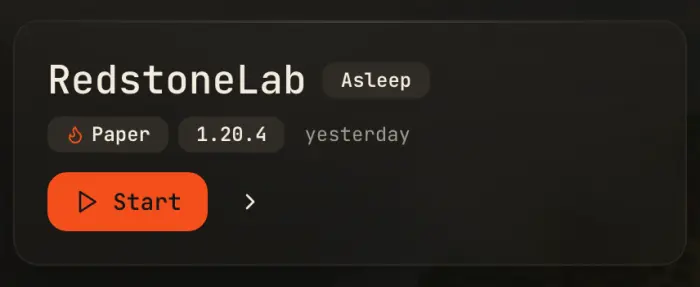
Press Start. The server boots on a machine that isn't anyone's PC.
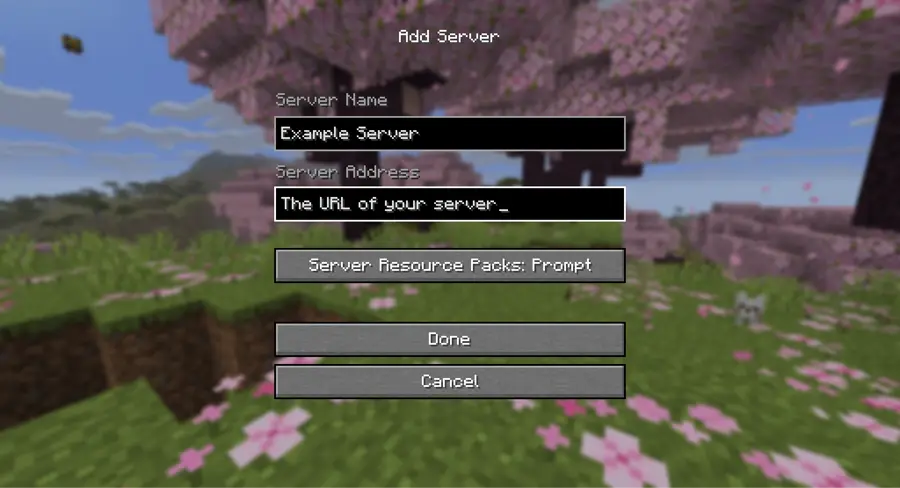
Copy the one Java Edition address it gives you (a plain name like yourname.mc.voxi.gg) and send it to your friends.
They open Multiplayer, choose Add Server, and paste it in once. After that it's one click in their server list.
More detail
Free worlds share a limited pool of slots, so if they're all busy the wake waits its turn. We show you your place in line rather than pretending the world is already up. Always-on, which skips the napping entirely, is a paid feature.
There are a lot of Minecraft hosts and we're one of them, not the category. If you're shopping around, the things worth comparing are: what the free tier costs you in ads, offerwalls or waiting; whether the price is in plain money or a points system; whether mods and modpacks install in one click or by uploading files; whether backups are included and restoring one is non-destructive; and whether you can take your world with you if you leave. Ask any host those five questions, us included.
The catch
It's more setup than pressing "Open to LAN", and past the free tier it costs money. If your group only ever plays together, in the same room, on a Friday night, you don't need one. Use LAN, and keep the money.
Try it before you decide it's the answer
A world on Voxi is free to start with no card, so you can find out whether you need one before spending anything. If LAN or Essential Mod covers your group, use those: they're on this page for a reason.
Minecraft Realms
Best for: A small vanilla group who want zero admin.Not for: Anyone whose plan involves a modpack.
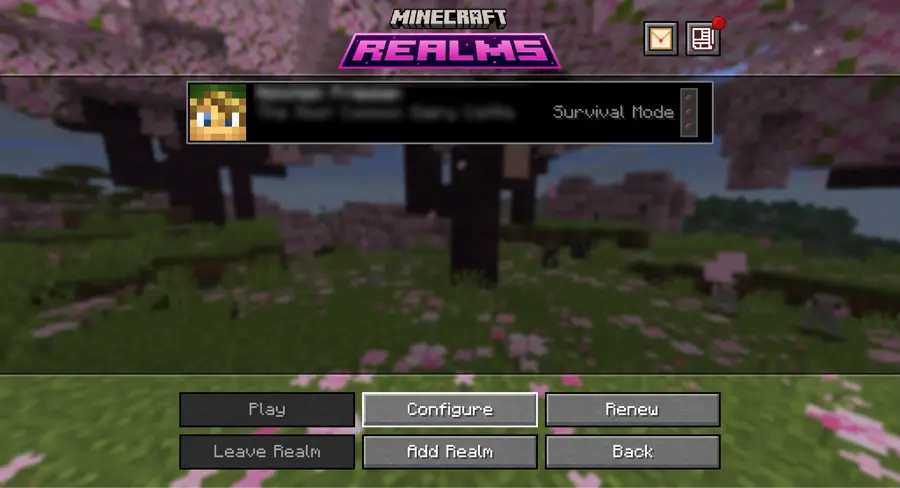
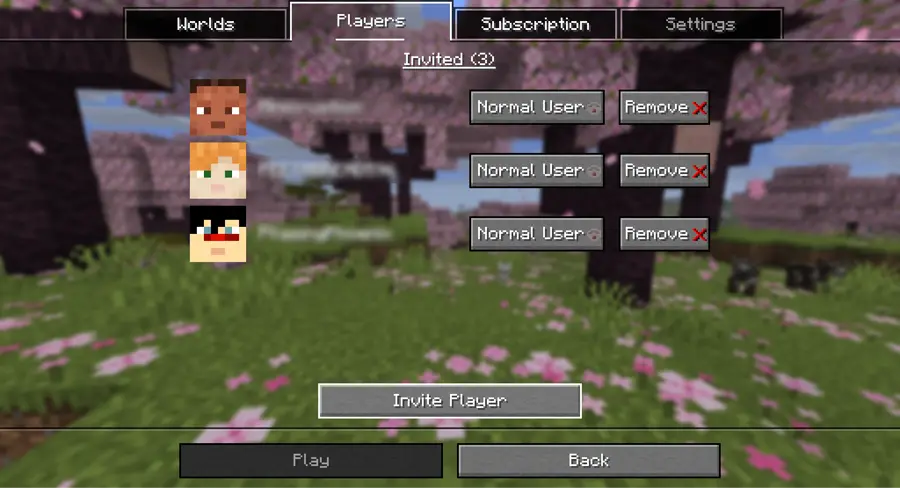
$7.99 a month on Java, for you plus up to ten other players. Mojang runs the world and it stays online whether or not you're playing, so a friend can log in at 2am and build while you're asleep. There's a 30-day free trial, once per account.
It's the least thinking of anything here. Nothing to configure, nothing to update, no address to share: you invite people from inside the game.
The catch
Java Realms runs no mods and no plugins of any kind, not even a small quality-of-life one. If your group's plan is a modpack, Realms cannot be the answer, and no setting will change that. (Bedrock Realms is a separate subscription for phone, console, and Windows players.)
What if your friends are on phones or consoles?
Minecraft is two different games. Java Edition runs on PC, Mac, and Linux; Bedrock Edition runs on phones, consoles, and Windows. They don't share worlds or servers by default, which is why a friend on an iPad can't see the world you opened to LAN.
Two ways round it. Everyone plays Bedrock and you use a Bedrock Realm: phones and consoles together, but no Java mods. Or you run a Java server with a bridge called Geyser, which lets Bedrock players join it. On Voxi that's a switch in Players called "Let Bedrock players join". It isn't on by default, and it currently does nothing on Fabric, Quilt, Forge or NeoForge.
Minecraft's built-in friends listNot yet available
Best for: Knowing who's around, on Java Edition.Not for: Actually getting into a world: it doesn't do that yet.
Free and already in the game, on Java Edition. Java 26.2, released on 16 June 2026, added a friends list: a Friends button on the title screen and pause menu (keybind O), friend requests, and presence showing whether someone is offline, online, or in a world.
So it's worth turning on. It tells you who's around. It does not get you into their world yet. For that you still need one of the other four options here.
More detail
A lot of pages written in May got this wrong. The peer-to-peer joining tested alongside it in the 26.2 snapshots (the bit that would have let you drop into a friend's world with no server at all) was pulled before the update shipped. Mojang said the experience "wasn't what we wanted it to be for all players" and that it wasn't ready for release in its current form. There's no announced date for it coming back.
The catch
It's presence, not a way in. Until the peer-to-peer part ships, seeing that a friend is "in a world" doesn't give you a way to join it. Java Edition only.
FAQ
Can I play Minecraft with friends for free?
Yes, two ways. Same wifi: Open to LAN, built into the game. Apart: Essential Mod, free, up to 8 players. Both need the host to stay in the game.
Do I need a server to play Minecraft with friends?
No. LAN and Essential Mod both work without one. You need a server for the two things the free options can't do: keep the world running while everyone is offline, and go past 8 players.
Does Minecraft's new friends list let me join my friend's world?
Not yet. Java 26.2 shipped the friends list in June 2026, but the peer-to-peer joining tested in the May snapshots was pulled before release, with no announced return date. It shows who's online; you still need LAN, Essential Mod, Realms, or a server to get in.
Can I use mods on Minecraft Realms?
No. Java Realms supports no mods and no plugins of any kind. For a modded world, Essential Mod is the free route and a hosted server is the paid one.
How many friends can play at once?
LAN is limited by your network and your PC. Essential Mod handles up to 8. A Java Realm is you plus up to ten others. A hosted server is the option that goes past that.
Can Java and Bedrock players play together?
Not by default: they're separate editions. A bridge called Geyser lets Bedrock players (phone, console, Windows) join a Java server; on Voxi it's a switch you turn on, not a default. LAN and Java Realms won't bridge the two.
Read next: how your friends join your Minecraft server.
If you do want a world that stays up
Start a free server on Voxi: no card, mods in one click, and one address to send your friends. If LAN or Essential Mod covers your group, use those instead; they're free and they're on this page for a reason.